
Rich Casino Verification
Step-by-step guide to Rich Casino verification for Australian players: what documents to prepare, common problems and what to do if it fails.
In short
- Rich Casino verification is an identity check on your account: you upload a photo ID, sometimes proof of address, and wait for a review.
- When it stalls, the cause is usually a blurry photo, a name mismatch or an expired document.
- Fix the file, resubmit it, and contact support if nothing changes.
What to do if verification did not work
If your documents were rejected or the status has not moved, do not open a second account and do not upload the same blurry file again. Verification problems almost always trace back to the file itself or to details that do not match your profile. Work through the steps below in order, and read what the message in your account actually says before you change anything.
Step 1
Read the message
Open the notice in your account or inbox. A rejection usually names the document and the reason, which saves you guessing.
Step 2
Compare the names
The name and date of birth on the document must match your profile letter for letter, including middle names and spelling.
Step 3
Retake the photo
Use daylight and a plain dark surface, and keep all four corners in frame. Avoid flash, glare and cropped edges.
Step 4
Check the expiry date
Expired documents are refused. Make sure the expiry date is still ahead of you and clearly readable.
Step 5
Upload again
Use a common format such as JPG, PNG or PDF and keep the file size reasonable. Put one document in each upload slot.
Step 6
Contact support
If the second attempt is declined, send support a short message with your username and what you uploaded. Never send full card numbers.
Sometimes the upload itself fails rather than the document. Switch from mobile data to Wi-Fi, try another browser, clear the cache, or compress a very large photo. If the upload button does nothing, a screenshot of the error message helps support find the cause quickly.
When you write to support, keep the message short and specific. Give your username, say which document you sent and on which date, and quote the wording of the rejection if there was one. A clear message gets a clear answer, while a vague complaint usually starts a round of follow-up questions that add days to the process. Be polite and patient, because the person reading your note is trying to match your file with your profile.
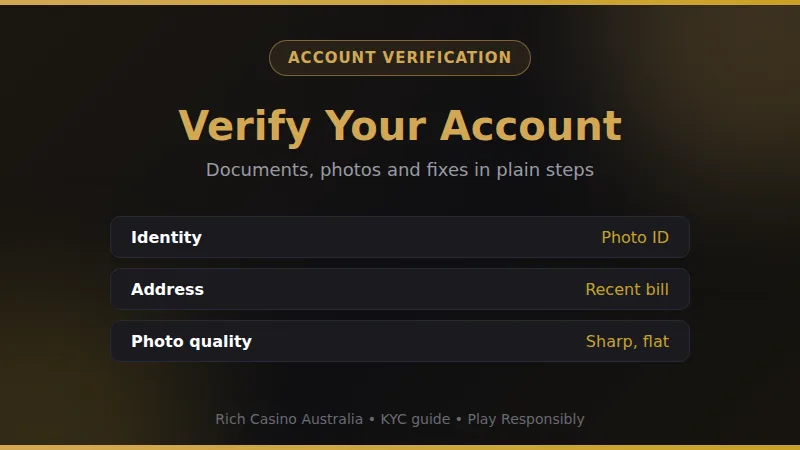
Common verification problems
Most rejections come from a short list of avoidable mistakes. The table below pairs each problem with its usual cause and the quickest fix, so you can match your situation and move on without trial and error.
| Problem | Likely cause | Quick fix |
|---|---|---|
| Blurry photo | Shaky camera | Retake in daylight |
| Cropped corners | Tight framing | Show all edges |
| Name mismatch | Typo at signup | Correct profile name |
| Expired ID | Old document | Use valid one |
| Old address proof | Outdated bill | Use recent one |
| Glare on card | Flash or lamp | Turn flash off |
| Wrong file type | Unsupported format | Convert to JPG |
| Upload stuck | Weak connection | Switch network |
Short cells cannot cover every case. If your problem is not listed, the rejection message in your account is the best clue, and support can tell you which part of the file was the issue.
- Place the document flat on a table, not held in your hand.
- Make sure every line of text, the photo and the expiry date are sharp.
- Do not edit, filter, crop or rotate the image with an app.
- Cover nothing on the document unless the form tells you to.
- Check that the photo shows the original document, not a screen or a printout of a screen.
Proof of address causes the most confusion. A document that shows your full name and a current Australian home address, issued recently, is the safe choice. Typical examples are a utility bill, a bank statement or an official letter. A document with only a postcode, a P.O. box or someone else's name tends to be refused.
Step by step with screenshots
The exact menu names can differ between desktop and mobile, so follow the idea of each step rather than hunting for a specific button label. Have your documents ready before you start, because a form that times out halfway is a common reason for a failed upload.
Browse the account screens used during verification, from the profile area to the upload form and the status message.
-
1
Log in
Sign in to your Rich Casino account on the device you normally use, so the session is not interrupted.
-
2
Open your profile
Find the account, profile or verification area in the menu. The label can differ between desktop and mobile.
-
3
Pick the document type
Select what you are uploading, such as a driving licence or passport, and enter any number the form requests.
-
4
Photograph the document
Lay it flat in daylight, fill the frame and keep all corners visible. Check the result on screen before you continue.
-
5
Upload the files
Attach the front, and the back if the document has printed details on both sides, then confirm the upload.
-
6
Add proof of address
If the form asks for it, upload a recent document with your full name and home address.
-
7
Watch the status
Return to the same area to see whether the status says pending, approved or needs attention.
If you need to show support what you see, take a screenshot of the status message only. Crop out your document numbers and any personal details before sharing it, and send it only through the support channel inside your logged-in account.
Myths and misconceptions about verification
Only winners get checked
Checks can happen at registration, before a first withdrawal or later on. Being asked early or late is a normal part of protecting accounts.
More documents is faster
Sending extra unrelated papers does not speed anything up. Send exactly what is requested, clear and complete.
A screenshot of my ID works
Screenshots, edited images and scans with covered details are commonly refused. Use an original photo or scan of the real document.
Rejection means a ban
A declined upload usually means the file needs fixing. It is rarely personal, and you can generally try again with a better copy.
One check lasts forever
Documents expire and personal details change, so a fresh check may be requested later. Keep your profile up to date.
Borrowed ID is fine
The document must belong to the account holder. Using someone else's identity causes problems and puts the account at risk.
Behind most of these myths is the idea that verification is a penalty. It is closer to a routine identity step, similar to confirming your details at a bank. Treating it as paperwork you do once, carefully, saves far more time than rushing and repeating it.
Preparing your documents before you upload
Ten minutes of preparation usually decides whether the check passes first time. Gather your original documents, sit near a window, and decide in advance which device you will use for the photos and for the upload. Doing everything on one device avoids the awkward moment of emailing files to yourself and accidentally sending a compressed or rotated copy that looks worse than the original.
- 1
Choose a valid photo ID, such as a passport or an Australian driving licence.
- 2
Pick a recent proof of address that shows your full name and home address.
- 3
Check that the spelling on both matches the details in your profile.
- 4
Clean the camera lens and photograph each document flat, in daylight.
- 5
Review each image at full size before you send it, then upload.
Take a moment to look at the preview as if you were the reviewer. Can you read the smallest line of text without zooming in? Is the whole card inside the frame, with a little space around it? If the answer to either question is no, retake the picture. A file that is easy to read is approved quickly, and you avoid a second round of waiting.
Keeping your account in good standing
-
Name on document Same as your profile
-
Photo quality Sharp, four corners visible
-
Document status Currently valid
-
Address proof Recent, in your name
-
Uploads One document per slot
Once your account is approved, keep your details current. If you move house or change your name, update your profile and be ready to upload a new document. Store clear photos of your ID in a private folder on your phone so a future request takes minutes rather than a hunt through drawers.
Use only the upload form inside your logged-in account.
Never share documents over social media or public chat.
Keep your email and phone details correct so notices reach you.
Delete the photos from shared devices once you have uploaded them.
| Studio | Popular games |
|---|---|
| Pragmatic Play | The Bingo Spot, Gameshow Party Jackpot Play, 3 Magic Eggs |
| Evolution | Red Baron Live, Red Baron RNG, American Roulette by Evolution |
| Play'n GO | Book of Dead, Captain Xeno's Earth Adventure, Cat Wilde and the Lost Chapter |
| NetEnt | Big Money Wheel, Babylon Riches, Beach Invaders |
Verification questions answered
What is Rich Casino verification?
It is an identity check that confirms the person behind the account is a real adult and the account holder. You upload a photo of an official ID and sometimes a proof of address, then a reviewer approves the account or asks you to fix something.
Which documents might I need?
Commonly a passport or driving licence for identity, and a recent utility bill or bank statement for address. The form tells you which type it accepts, so check the list in your account and prepare clear, valid copies before you start uploading.
How long does verification take?
Review times vary, so there is no fixed promise. Clear, valid files tend to be handled faster than blurry ones. Check the status in your account, and if days pass without any change, write to support with your username and the document types you sent.
Can I verify using a phone photo?
Yes, a phone photo is usually fine as long as it is sharp and well lit. Place the document flat, switch the flash off, keep all four corners in frame and avoid filters or cropping tools that alter the image.
My document was rejected. Can I try again?
Generally yes. Read the reason given, correct the issue, such as a blurry image, a name mismatch or an expired date, and upload a new copy. If a second attempt is also declined, contact support and ask which detail needs to change.
Is it safe to send my ID?
Send documents only through the upload form inside your logged-in account, never by social media, public chat or a link from someone you do not know. Check the web address before you log in, and delete the photos from shared devices afterwards.
Will I be asked to verify again later?
It can happen. Documents expire, details change and checks may be repeated at different points in the life of an account. Keeping your profile up to date and a clear photo of your ID on hand makes any later request quick.
Should I verify before I make a first deposit?
There is no harm in completing the check early if the form lets you. Having an approved account means that later requests, such as a withdrawal, are less likely to be held up while you hunt for documents and wait for a reviewer to look at them.
Join Rich Casino Today
Open your Rich Casino account in a minute, check the current welcome offer at the cashier and play within your limits.
Content by Sarah Thompson
Casino Review Lead • 8+ years testing casinos
Published 2026-11-13 • Updated 2026-11-13 • Checked 2026-11-13